 Dhananjay Tech
UPDATED Google Camera Mod with PORTRAIT MODE on Redmi Note 4 (MIUI 9)
Downloads-
Magisk ZIP file- LATEST
Camera2API enabler- Here (Mirror)
Google Camera APK- HERE (MIRROR) OR Arnova Modded APK
Google camera portrait mode mod ported for the Redmi Note 4 for MIUI 9 based on Android Nougat (android 7.0), if the device is based on Android Marshmallow with MIUI 9 then it’ll not work the device has to be on Android Nougat. Developer from XDA known “Scrubber (4pda)” put out the stable version of Google camera mod, which was not working earlier because of the API level of 25, so the developer modified the API level to 24. Everything now works without any hiccups. The portrait mode with HDR+ capabilities for both front and rear camera works flawlessly. Apart from the Slow-Motion videos.
Requirements:
- Camera2 API should be enabled.
- Clear the data of the previous GCam mod, otherwise you’ll get nothing but the blank screen
- Device needs to be on Android Nougat (Android 7.0)
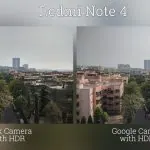
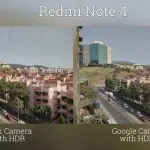
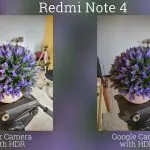

Few portrait mode shots-








You can check latest updates from the original developer HERE
Chetan Bhatia
Dear , Please Provide Redwolf TWRP Recovery For RedmI Note 4 , MIUI 9 .
It’s Recommended For Process
Ayush Chaurasia
Sir how can we get google portrait mode camera on moto g5s plus without rooting. If its possible pls give details.
Mandeep replying to Ayush Chaurasia
you should root your device to enable camera2api and that is required.
Sabari
Please make a video or forum on Redwolf twrp recovery for redmi note 4 pls
Avesh Dabhoiwala
Please bro find mod for j7 prime
vikalp omar
cant install magisk.zip file what to do
Prashant Pareek replying to vikalp omar
Same here brother..It gives error 1 and says boot image already flashed by some other programs.
israel replying to Prashant Pareek
me too. will OTA update restore my original boot.img?
Anmol
Its not working and showing error
Anmol
Ita not working and showing error in flashing
Jsns
Does OTA updates shall arrive after installing GCam with that method?
Neelam
Showing Error
tejas
please provide steps for installing google camera on MI5 64GB.
DaViD singh
Google camera not open in my redmi note 4 it say report or view what I am do
Mandeep replying to DaViD singh
first of all unlock your bootloader and then install TWRP/RED WOLF TWRP on your device then flash Magisk.zip through TWRP and after that enable camera2api via magisk then you can use this. you need to root your device.
Rajan singh
Plz help for redmi 4 mezigest zip file link and camera
Hasan
Bro download option kaha hey?
vishesh
Not working showing error while flashing magisk.zip file.. please reply
vishesh
hello anybody there ???
Manash Protim
Hello bro does it work on redmi Note 5 .
Manash Protim Gogoi
Hi bro did back camera portrait is work on redmi note 5. This is the second time that I asking you this question please reply
R4zorj4ck
hey bro showing error
While flashing magisk.zip file.. please see to it
Praveen Lodiya
Hiii dhanjay, myself Praveen , I have Redmi note 4 device and when I have install magik zip file in recovery mode it’s not installed successfully and failed many times. How can I enable camera2api function in my device.
Please tell me the solution soon.
Shreyas
Hi, I was using your APK and had enabled camera2api from magisk, in Redmi note 4. It was working fine. It was really good. But after I updated to miui 10 beta version. I’m not able to use the your camera. I’m getting a black screen. What should I do? Doesn’t miui 10 support this camera 2 API…? How to fix? Please suggest.
Sheikh
Bhai magisk file download nahi ho rahi kya problem h